
Qdots CRM
Every lead captured. Every follow-up on time.
Qdots CRM brings enquiries from your website, ads, lead portals and WhatsApp into one list, tells each person who to call next, and shows managers which sources and people bring real business.
- Free to start
- Built for Indian sales teams
- Works with WhatsApp and email
Features
Everything your sales team needs, nothing it doesn't
Simple enough for a two-person team, structured enough for a sales floor.
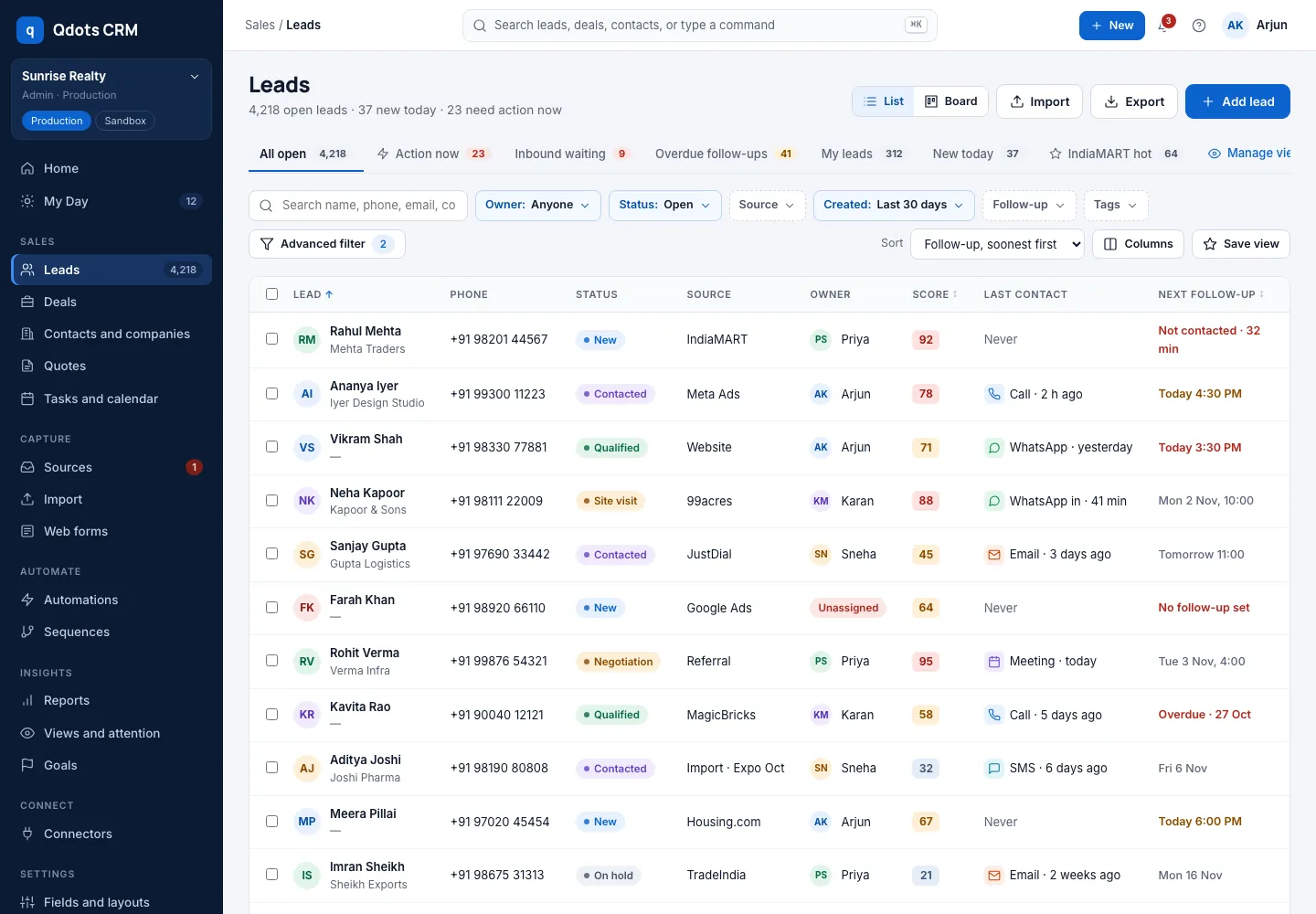
Capture leads from every source
Website forms, WordPress, Meta and Google lead ads, IndiaMART, Google Sheets, file import, API and webhooks.
Know who to call next
My Day and attention views show new, waiting and overdue leads so nobody is forgotten.
Pipelines, deals and quotes
Move deals across a board, send quotes and invoices, and see what is likely to close.
Automations and sequences
Assign leads automatically, send follow-up sequences and alert the right person.
Reports and goals
Leads, conversions and revenue by source, campaign and team member, with goals to track.
Clean, trustworthy data
Duplicate checks on entry and import, merge duplicates, custom fields and saved views.
Capture
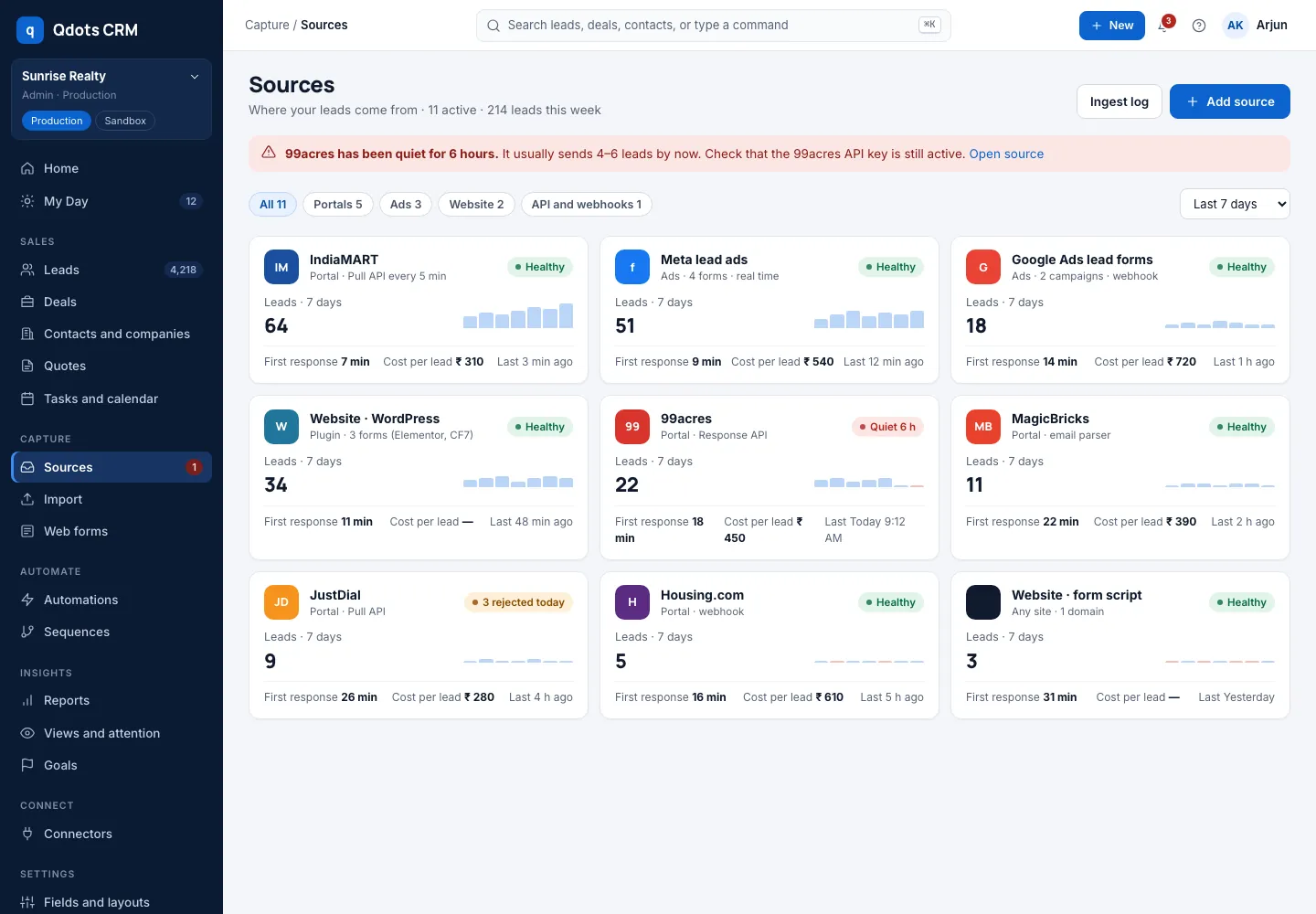
All your lead sources in one place
Connect every channel once and every new enquiry lands in Qdots CRM with its source, campaign and owner.
- Hosted web forms and a WordPress plugin for your website
- Meta lead ads, Google Ads lead forms and Google Sheets
- IndiaMART and other portals through webhooks and the API
- Excel and CSV import with column mapping and duplicate rules
Follow-up
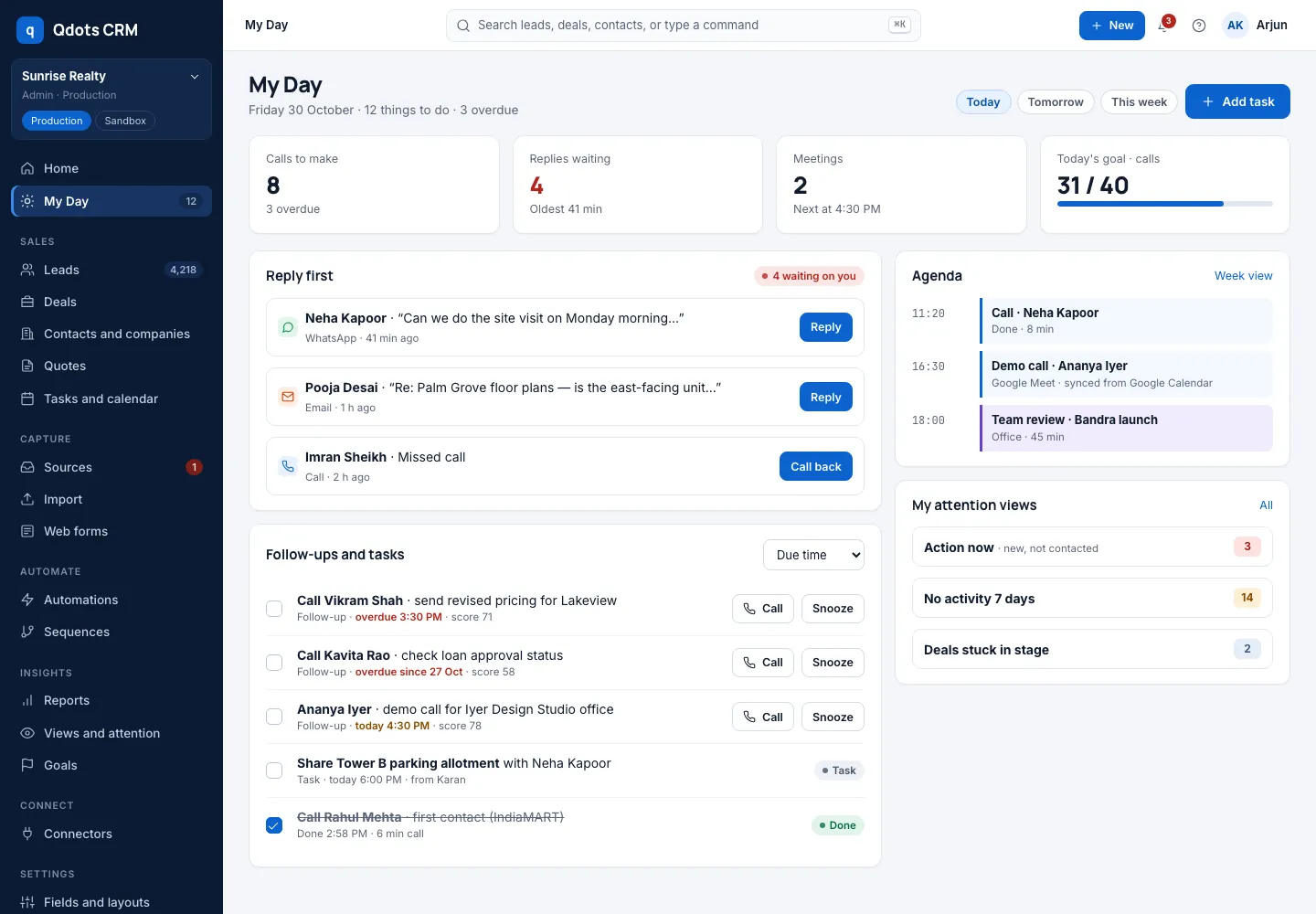
Follow up on time, every time
Speed wins deals. Qdots CRM puts the right leads in front of each person every morning.
- My Day: calls, meetings and follow-ups due today
- Views for new, inbound waiting and overdue leads
- Lead alerts when a hot lead arrives or a follow-up is missed
- Full timeline of notes, calls, WhatsApp and email for each lead
Pipeline
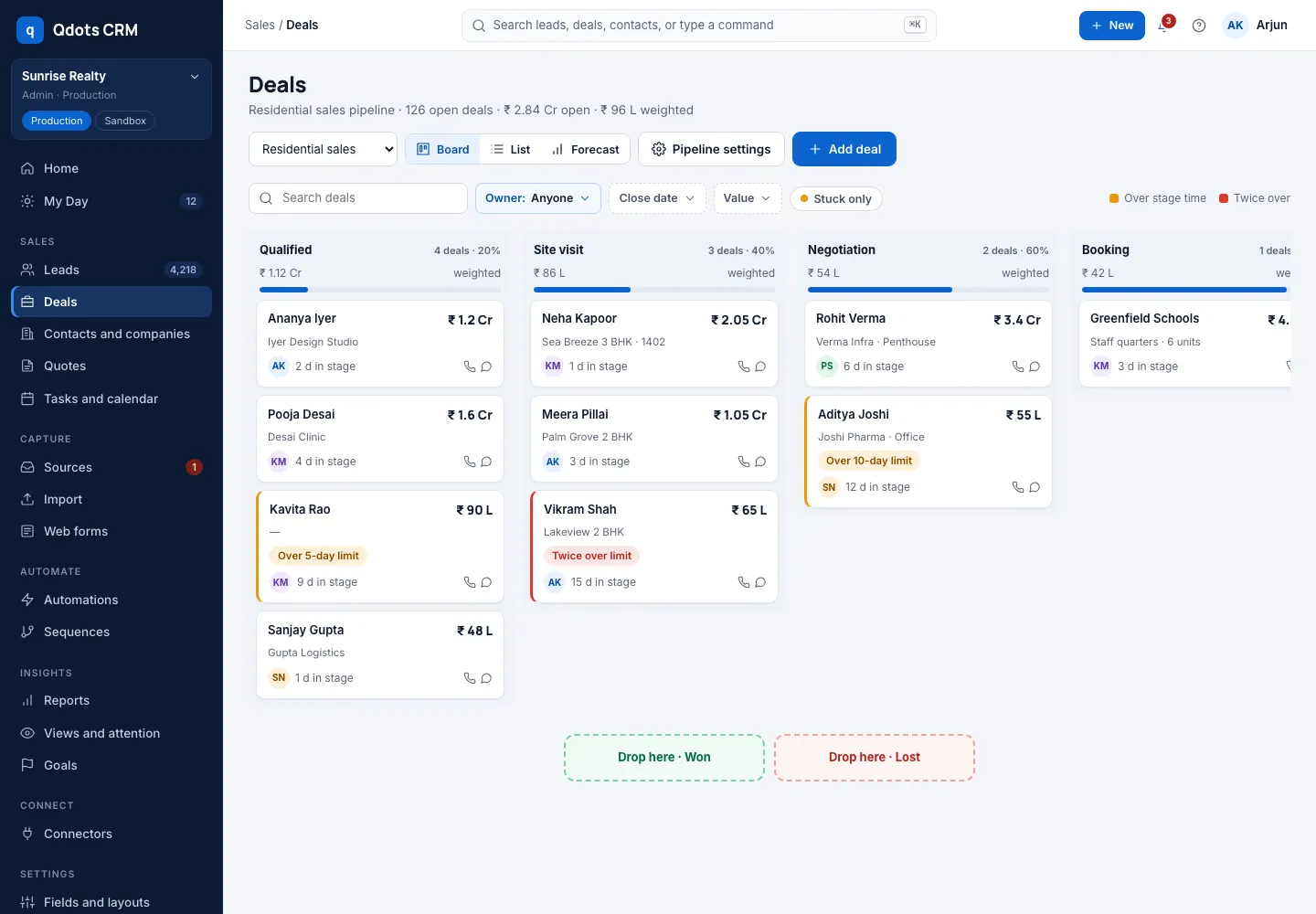
From enquiry to closed deal
See every deal on a board, know what is stuck and what is about to close.
- Multiple pipelines with your own stages
- Quotes and invoices from the deal
- Goals for the team and for each person
- Reports on conversion and revenue by source
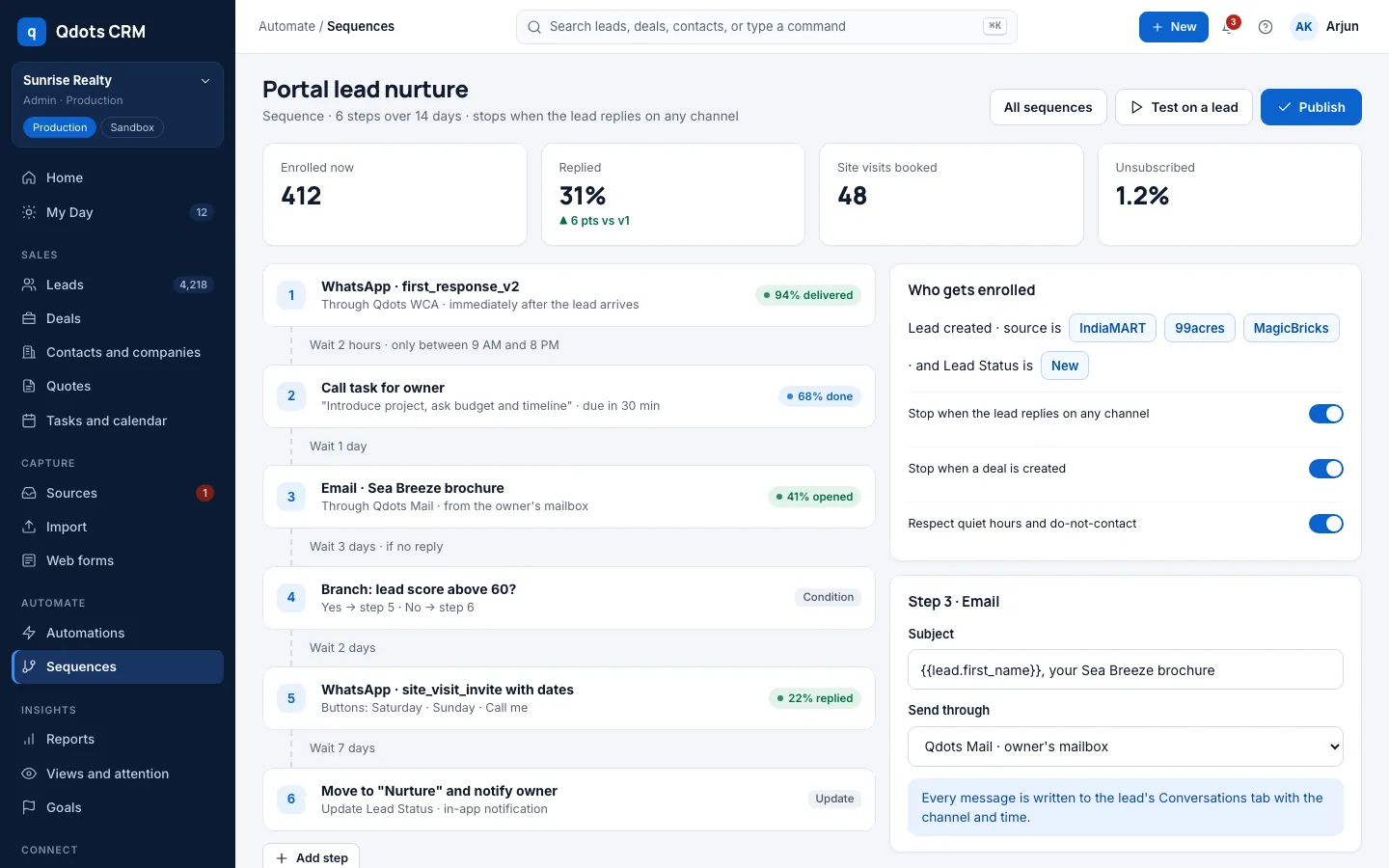
Automation
Let the CRM do the routine work
Set it up once and Qdots CRM keeps every lead moving.
- Round-robin and rule-based lead assignment
- Follow-up sequences with tasks and reminders
- Industry packs with ready pipelines, fields and views
- Send qualified leads back to Meta and Google Ads
How it works
Start in four steps
Step 1
Create your free account
Sign up with your work email and verify it. No card needed to start.
Step 2
Add your team
Invite your sales team and set who sees which leads.
Step 3
Connect your lead sources
Add your website form, ad accounts and portals, or import your existing list.
Step 4
Start following up
Open My Day, call the leads that need you and watch the reports fill in.
Industries
A CRM that fits your industry
Start from a ready setup for your business: pipelines, stages and fields that match how you sell.
CRM for
Real Estate
Track enquiries from portals and ads, schedule site visits and follow up until booking.
CRM for
Hospitals
Manage patient enquiries, appointments and follow-ups across departments.
CRM for
Clinics
Turn calls and WhatsApp enquiries into booked consultations and repeat visits.
CRM for
Education
Track admission enquiries, counselling sessions and applications by course.
CRM for
Ecommerce
Manage B2B and bulk enquiries, quotes and repeat customers in one place.
CRM for
Travel Agencies
Capture trip enquiries, send quotes and follow up until the booking is paid.
CRM for
Insurance
Track policy leads, renewals and follow-ups for every advisor.
CRM for
Financial Services
Manage loan, investment and advisory leads with clear stages and owners.
CRM for
Automobile Dealers
Track test drives, quotations and bookings from showroom and online leads.
CRM for
Sales Teams
Pipelines, quotes, goals and reports for any B2B or inside sales team.
CRM for
Service Businesses
Turn service enquiries into scheduled jobs, quotes and repeat customers.
CRM for
Recruitment
Track candidates and client requirements through every hiring stage.
Qubitdots products
Better together
Qdots CRM connects with our WhatsApp and email products, so every message shows on the lead.
FAQ
Frequently asked questions
Help & support
Need help with Qdots CRM?
Send us your question and our team will reply within one business day (Mon–Sat, 9:30 AM – 7:00 PM IST). We can also help you set up your account, import data and connect your channels.
Get started